
What a Santa Clara County Court Docket Shows
A docket is a chronological log of events in one court case. The Superior Court of California, County of Santa Clara, also calls this the register of actions. It lists what was filed, when each filing came in, what happened in court, and what the judge ordered. The docket does not always include the filing itself. It points to the event. The actual document may need to be viewed at a public access terminal in the courthouse, or copied through a clerk request.
Each line on a Santa Clara County docket points to one event. A typical line shows the date, the case number, the case type, the party who filed or appeared, and a short label such as "Complaint filed" or "Minute order." Hearing lines add a department number and a time. The court's own guidance on its Case Information Online page says public records open to inspection may be viewed online when available, or in person at courthouse terminals.
Docket entries cover the full life of a case. Filing events, hearing results, orders, continuances, judgments, sentencing, and payment events all post to the same log. Documents filed and minute orders show up there too. Sealed or confidential entries can be redacted or hidden by court rule. For full case file copies, the court directs users to the clerk by mail or in person.
Searching Santa Clara County Dockets Online
The main online tool for Santa Clara County court dockets is the Case Information Portal at portal.scscourt.org. The court's Case Information Online page lists the case areas the portal covers. Coverage spans civil, small claims, probate, some family, traffic and local ordinance, and criminal matters. Filings are not generally available online. Hearing dates, party names, and docket entries are the main online output for many case types.
The portal works best when a case number is in hand. For criminal cases filed in 2004 or later, the criminal case index lets a user search by defendant name and date of birth, or by defendant name plus the month and year the case was filed. For older criminal cases, the court says microfiche at the clerk's office is the only path. Civil and probate users start at the main portal tab. Traffic users move to the Traffic Case Info Portal for citation status and warrant flags.
Public access terminals at the courthouse mirror the portal and may show records that the public site does not push remotely. California Rule of Court 2.503 draws the line between remote electronic access and courthouse-only access. The Superior Court applies that rule when it decides what shows online and what stays at the building.
The portal handles these case types:
- Civil cases at Downtown Superior Court and the Old Courthouse
- Small claims at Downtown Superior Court
- Probate, conservatorship, and guardianship at Downtown Superior Court, Room 107
- Family cases at the Family Justice Center, with limits on public detail
- Traffic and local ordinance cases countywide
- Criminal cases at the Hall of Justice, Palo Alto, and South County Morgan Hill
Search-Field Table for the Case Information Portal
The Case Information Portal uses a small set of fields. Each one steers the search to a different result. The table below mirrors the field set the court documents in its public guidance for the portal. Field labels and button labels in the live portal can shift, so verify the on-screen labels before relying on screenshots.
| Field Label | Type | Required | Options / Format Notes |
|---|---|---|---|
| Case type / portal area | Tab or menu | Yes | Civil, small claims, probate, some family, traffic / local ordinance, criminal |
| Case Number | Text | Optional / preferred | Use exact court case number when known |
| Party Name | Text | Optional | Criminal index uses defendant name |
| Date of Birth | Date | Conditional | Criminal index pairs defendant name with DOB for cases filed 2004 or later |
| Filing Month / Year | Date / month-year | Alternative | Criminal index pairs name with filing month and year |
| Search | Button | Yes | Submits the query |
| Clear / Reset | Button | Optional | Resets entered values; verify live label |
If the portal returns no match for a name search, try a case number lookup. If no case number is on hand, the court suggests contacting the relevant clerk division for help. A search fee may apply when a clerk staff search takes longer than ten minutes. Pre-2004 criminal matters do not show in the online index at all.
Sample Docket Entry Inventory
Each docket entry on a Santa Clara County case can include several pieces of data. Some lines are short. Some carry a long set of payment, status, and party details. The list below pulls the docket field set that the court describes in its public records guidance and is rendered as a 2-column table for quick scanning.
| Field | What It Shows |
|---|---|
| Filing events | Date a complaint, petition, motion, answer, or notice was filed and which party filed it |
| Hearing results | Outcome of a hearing, such as held, vacated, continued, or off calendar |
| Orders | Court orders issued by the judge after motion or hearing |
| Continuances | New date, time, and department when a hearing is moved |
| Judgments | Final or interim judgment entries, including default and stipulated judgments |
| Sentencing | Criminal sentencing entries showing terms, fines, custody, or probation |
| Payment events | Fee payments, fine payments, bail postings, and partial payment history |
| Minute orders | Clerk summary of what happened at a hearing, with judge, parties present, and rulings |
| Documents filed | Names of papers filed in the case; the document itself often is not online |
Restrictions apply to some fields. Juvenile information, sealed entries, financial account numbers, and victim contact data do not appear on the public docket. Many family cases redact home address, medical, and minor identifying data. For copies of any document referenced in a docket line, file a clerk copy request with the correct division.
Probate Calendar and Attorney Calendar Status Reports
Probate matters have a docket inside the Case Information Portal and a separate calendar PDF on the court site. The Probate Calendar page links a schedule for Probate, Conservatorship, and Guardianship hearings. Find it at the Probate Calendar page. The calendar PDF lists upcoming hearings by date and department, and the court publishes Attorney Calendar Status Reports, often called ACSR PDFs, alongside it.
Per the court's notes on the Probate Calendar page, the ACSR PDFs include probate examiner notes for each matter on the calendar. Examiner notes flag missing documents, defects in notice, or requested continuances. Attorneys read the ACSR before the hearing to see whether the case is ready to be heard. Self-represented parties can also use the ACSR to see what the court is waiting on.
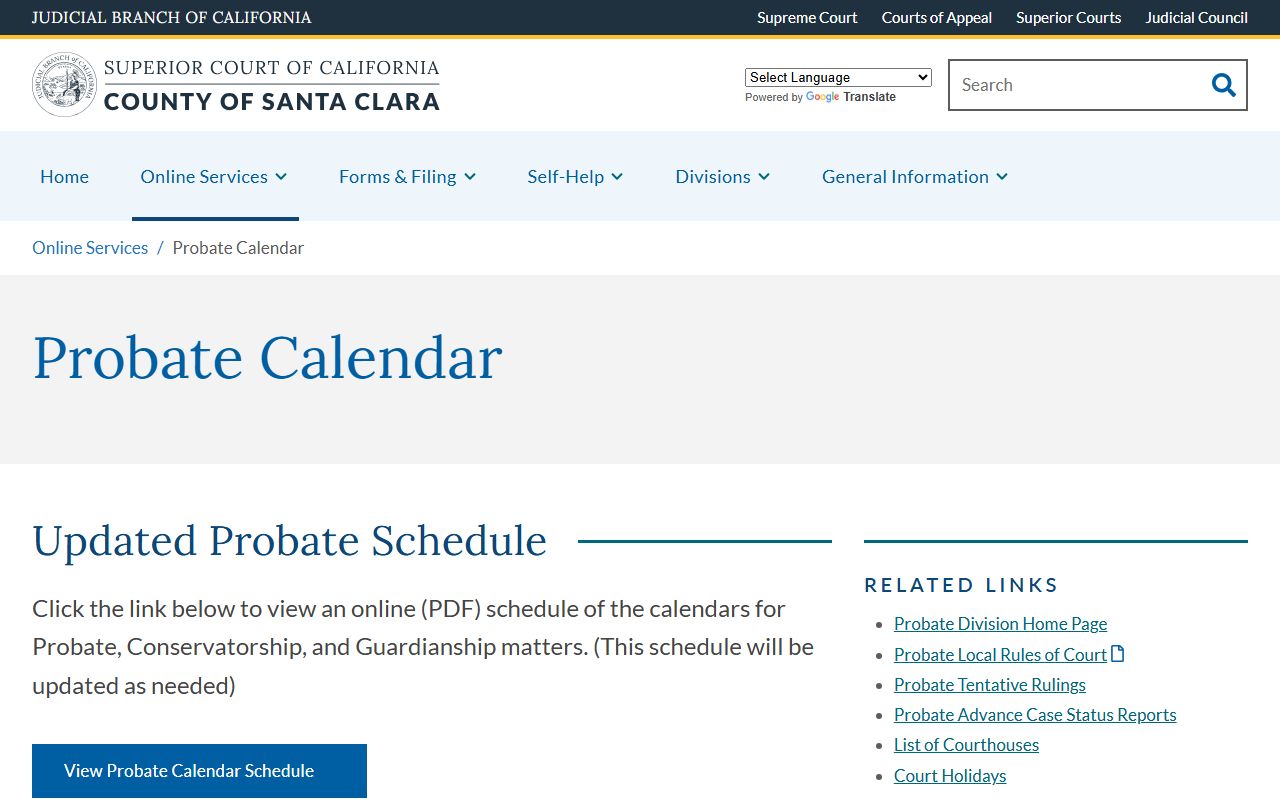
The screenshot shows where the probate calendar PDF and ACSR documents live on the Superior Court site, with links to the schedule by hearing date.
Attorneys are required to e-file the Petition and Notice of Hearing for probate matters. The court direction is to leave hearing date and time blank on the notice and instead list unavailable dates in the comments field. The clerk then sets the hearing for the next available date and posts it on the calendar. Parties without attorneys may file over the counter at the Probate Clerk's Office, Room 107, Downtown Superior Court, 191 North First Street, San Jose.
For a full guide on this case area, see the Santa Clara County probate records page. The probate clerk phone is 408-882-2654. Probate examiners can be reached at 408-882-2668. Minor compromise petitions are usually set by the clerk for the next available date, typically within 30 days.
Traffic Case Dockets and Warrant Status
Traffic dockets in Santa Clara County have their own portal entry. The court's Warrants and Corporate Summons page directs users to look up a traffic case through the Traffic Case Info Portal. The result screen tells the user whether a warrant has issued and when. The court gives an example of the status line: "Case is delinquent. Warrant issued on [date]. Payment state: Due." That line is the docket status flag for that case.
To clear a traffic warrant, the court says to identify which court ordered the warrant, contact that court in person, and follow the clerk's instructions. In most cases the clerk gives a court date. Some warrants can be cleared by forfeiting bail or paying what is owed. Some require a court appearance. The South County Morgan Hill Courthouse traffic clerk handles traffic cases at 408-556-3000. The court's main traffic counter is virtual.
Note: Traffic Case Info Portal status text is what shows on the public docket; the underlying citation file may need a clerk request to copy.
For deeper coverage of traffic case search, payment, and contesting steps, see the Santa Clara County traffic court records page.
Reading Santa Clara County Minute Orders
A minute order is the clerk's summary of what happened at a single hearing. It is one of the most useful lines on a docket. The minute order names the judge, the parties present, the matter on calendar, and what the court ordered. Lawyers cite minute orders by date. A docket may show five or six minute orders across a long civil or criminal case. Each one is its own short record of one hearing.
Minute orders are not the same as the full hearing transcript. Transcripts are made by court reporters and have to be ordered through transcripts@scscourt.org. A minute order does not capture every word. It captures the result. For criminal cases, a minute order may include the plea, the date set for the next appearance, the bail status, and any conditions ordered.
Three docket terms come up over and over when reading a Santa Clara County register of actions:
- Minute order
- Clerk's summary of what happened at a hearing, with parties, judge, and rulings.
- Register of actions
- The case event log maintained by the court; the docket.
- Disposition
- Final or current outcome of a charge or case, such as dismissed, convicted, or judgment entered.
- Continuance
- Postponement of a hearing or deadline to a later date.
- Judgment
- Final enforceable decision of the court on the merits of the case.
Other docket terms worth knowing include plaintiff, defendant, petitioner, respondent, complaint, petition, motion, plea, sentence, and bail. The Santa Clara County court records page has a fuller glossary for legal terms that appear across all case types.
Hearing Dates, Departments, and Courthouses
Each docket entry that schedules a hearing names a department number. Department numbers map to a specific courthouse. A user who reads "Department 32" on a Santa Clara County docket needs to know that this is at the Hall of Justice on West Hedding Street, not at the downtown civil campus. The Superior Court publishes its courthouse list on the official courthouse locations page.
| Courthouse | Departments | Address | Divisions |
|---|---|---|---|
| Downtown Superior Court (DTS) | 1 - 16 | 191 North First Street, San Jose, CA 95113 | Civil, Probate, Small Claims |
| Old Courthouse (OCH) | 17 - 22 | 161 North First Street, San Jose, CA 95113 | Civil |
| Hall of Justice (HOJ) | 23 - 54 | 190 West Hedding Street, San Jose, CA 95110 | Criminal |
| Family Justice Center Courthouse (FJCC) | 60 - 79 | 201 North First Street, San Jose, CA 95113 | Family, Juvenile Dependency, Drug Court, Traffic, Self-Help |
| Juvenile Justice Courthouse | 80 - 83 | 840 Guadalupe Parkway, San Jose, CA 95110 | Juvenile Justice |
| Palo Alto Courthouse | 84 - 89 | 270 Grant Avenue, Palo Alto, CA 94306 | Criminal |
| South County Morgan Hill Courthouse | 105 - 110 | 301 Diana Avenue, Morgan Hill, CA 95037 | Criminal and Traffic |
Court building hours are Monday through Friday, 8:00 a.m. to 5:00 p.m. Clerk counter and phone hours are shorter: Monday through Thursday, 8:30 a.m. to 3:00 p.m., and Friday, 8:30 a.m. to noon. Calendar lookups for a specific day should match the docket department against this table before driving over. See the Santa Clara County Superior Court page for full division contacts.
Older Criminal Indexes
Not every criminal docket is online. The court's criminal records viewing page says the online criminal index covers cases filed in 2004 or later. For cases filed before 2004, the docket data lives on microfiche at the courthouse. Users search those records in person at the clerk's office, using defendant name, date of birth, and filing year.
Microfiche search is slower than online lookup. The clerk's office can help locate a reel for a defendant and year. The court charges a search fee when staff time runs over ten minutes. Once a case is located, a copy request follows the standard criminal copy rules: a letter listing the case number, full defendant name, date of birth, and the desired document such as a minute order, sentencing record, or complaint.
Note: Microfiche docket lookups are only possible on weekdays during clerk counter hours, so plan a courthouse visit around the 8:30 a.m. to 3:00 p.m. window.
For broader help with the criminal side, the Santa Clara County criminal records page covers the full search workflow and the documents that are public versus restricted.
Reading Civil and Family Calendars
Civil and family calendars work a little differently from criminal calendars. The dockets do post online through the Case Information Portal, but the underlying filings are not generally available online. That gap matters when a user wants to read a motion, an answer, or a declaration. The court tells users to ask the clerk for copies by mail or in person.
Family calendars cover dissolution, legal separation, custody, support, parentage, and restraining-order matters. Family clerk copy requests use the Family Records Copy Request Form. The family records unit is reached at 408-534-5711 at the Family Justice Center. Civil calendars cover unlimited civil, limited civil, and unlawful detainer matters. Civil clerk service is at 408-882-2100.
Small claims has its own docket flow at Downtown Superior Court. The small claims advisor is listed at 408-882-2929. Calendars for small claims hearings post in the portal, and the clerk takes copy requests at the counter. Self-represented users in any of these case types can also get help at Case Information Online for portal questions.
Dockets vs. Full Case Records
People often ask if a docket is the same as the case file. It is not. The docket is the index. The full file is everything filed in the case, from the first complaint to the last order. Online, Santa Clara County publishes the docket. Offline, the clerk holds the documents. The chart below sets out the difference so a user knows which one to pull for a given need.
| Docket | Full Case Record | |
|---|---|---|
| What it is | List of case events in date order | All papers, exhibits, orders, and reports in the case file |
| Where to access | Case Information Portal at portal.scscourt.org | Clerk's office by mail or in person; some at courthouse terminals |
| Cost | Free online for case info | Copy and certification fees; $0.50 per page on family records |
| Best for | Tracking case progress, next hearing, basic status | Reading the actual filings, evidence, and full orders |
| Format | Short entries by date and event type | Full document scans, paper file, or microfiche |
For a deeper look at the full file side, the Santa Clara County court records page covers clerk copy request steps, certification fees, and how to read the actual documents. The Clerk of the Superior Court page lists division contacts for each case type.
The image above shows the Superior Court's probate self-help landing area, which guides self-represented users through what filings, calendars, and orders look like in a probate docket.